이펙트아카데미 특강/외주/커뮤니티
 언리얼4 팁 - 얼음물 유리잔 쉐이더 제작
Hi guys,
First time doing one of this contests :smile: Mine will be kinda boring since I’m making a frozen glass of water but I was intrigued by thinking about the shader I could make for this.
Here is the reference video for this FX:
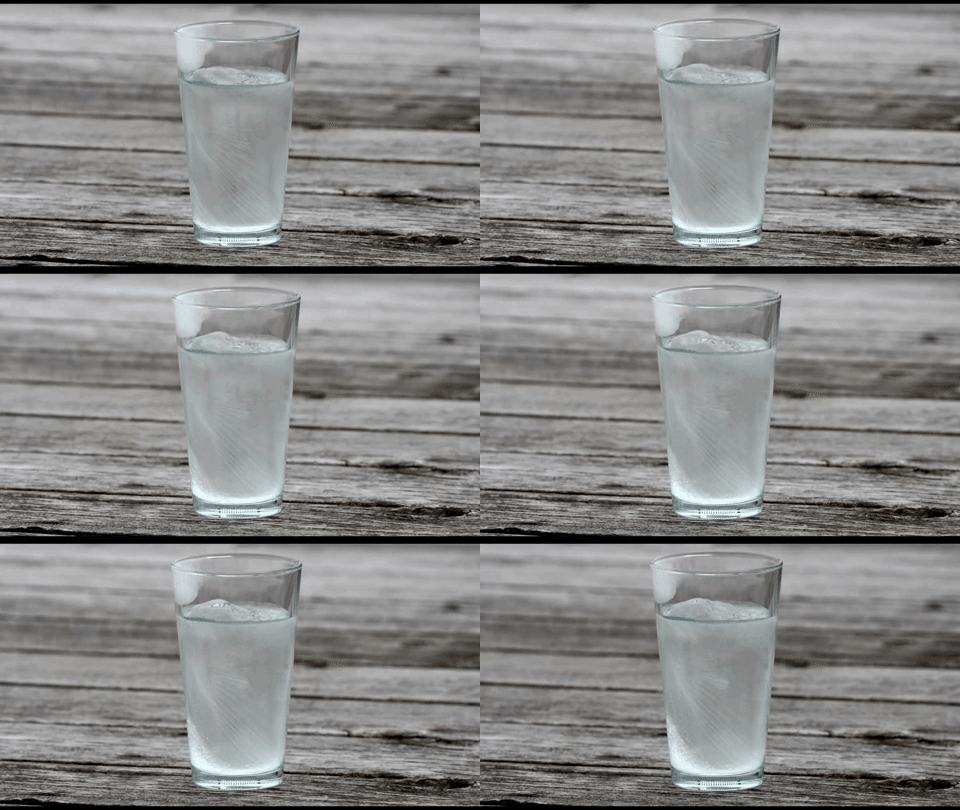
My plan is to first break down each of the elements:
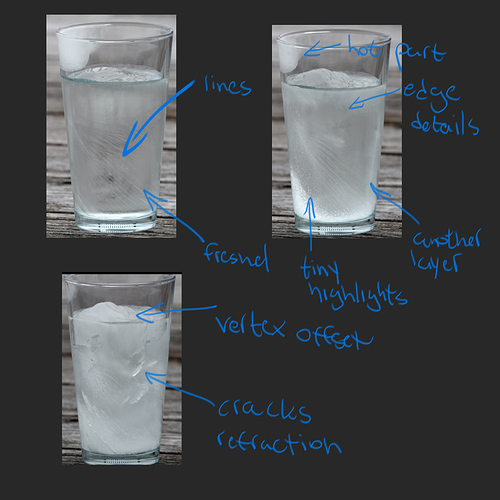
(There’s actually more then i wrote down but this are the main ones)
I will build each of those elements with their own parameters and use sliders turn on/off each element with blueprints.
The stretch goal is to hook up each parameter to a single slider. For example: I want the cracks to start when the first fresnel slider is at 0.5. I’m not sure yet how I will approach this. I’m thinking either Unreal material custom script or with blueprints.
Easy stuff first
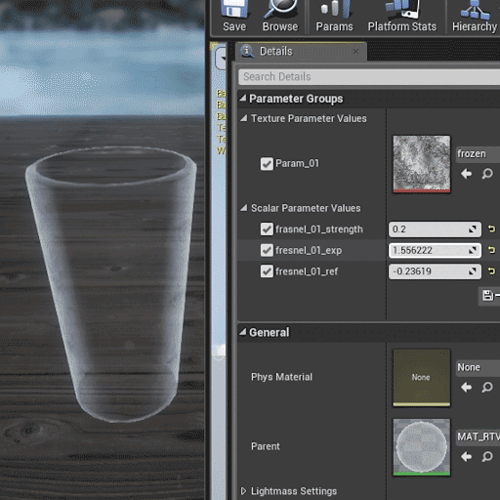
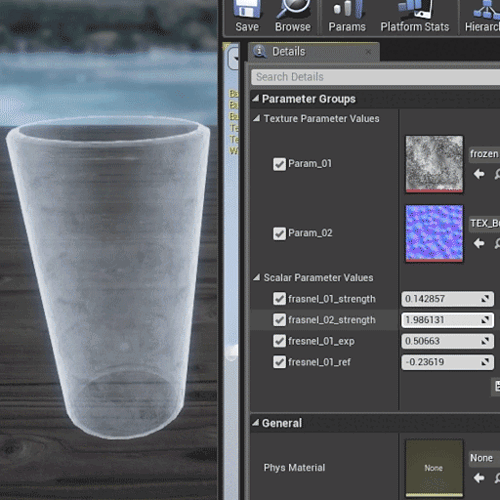
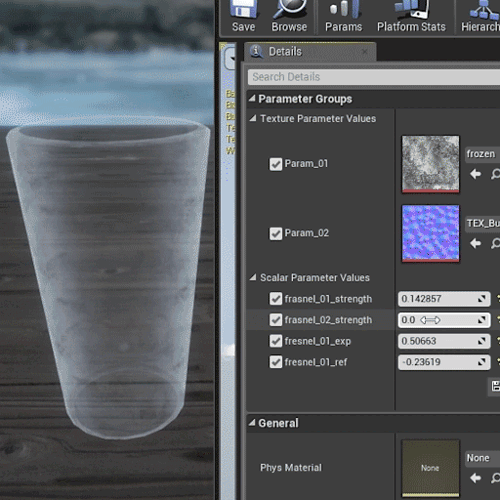
Added a secondary layer for fresnel (freezing fx).
This gave me a much better result as you can see in the gif comparison:
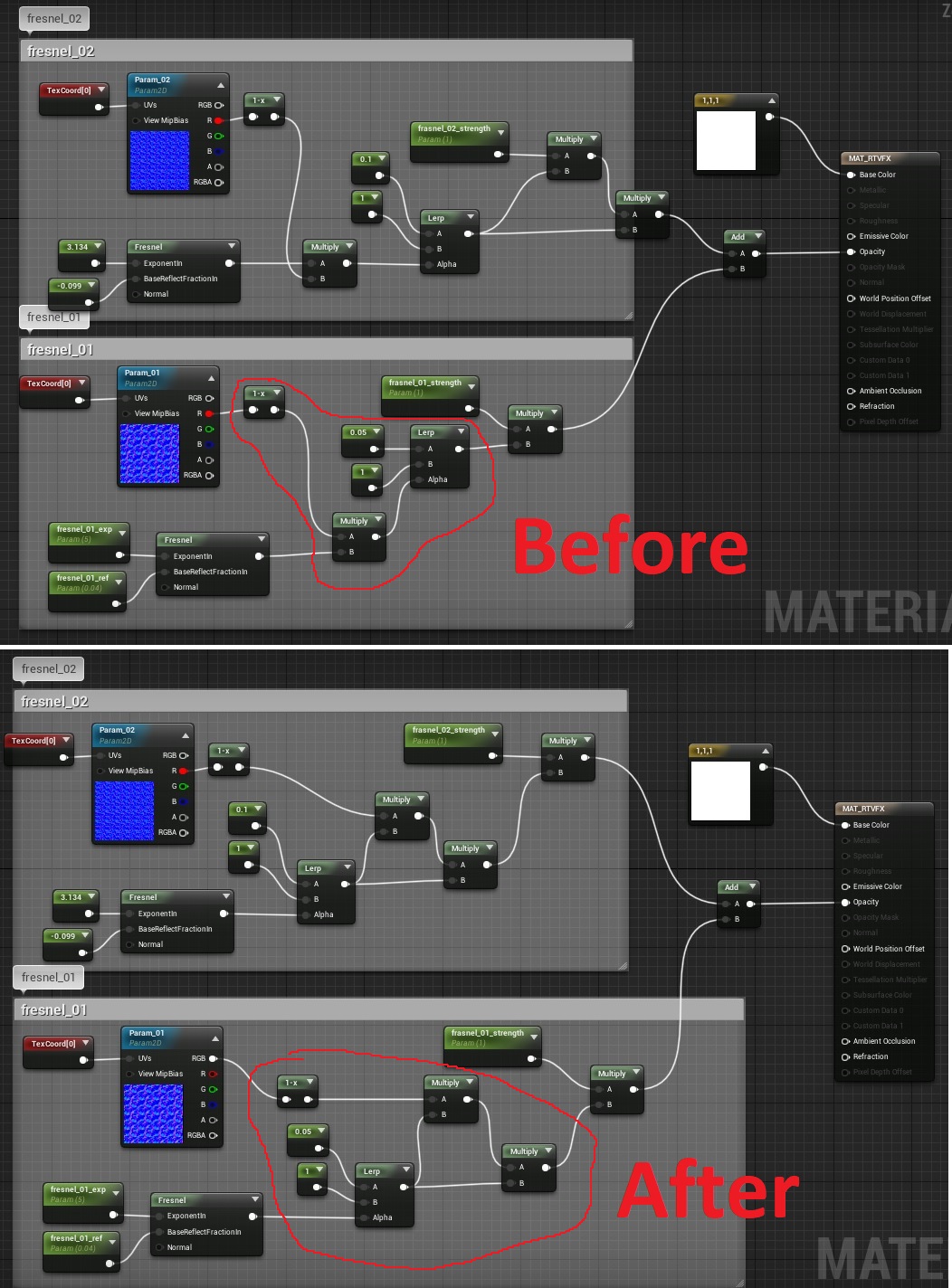
Before:
After:
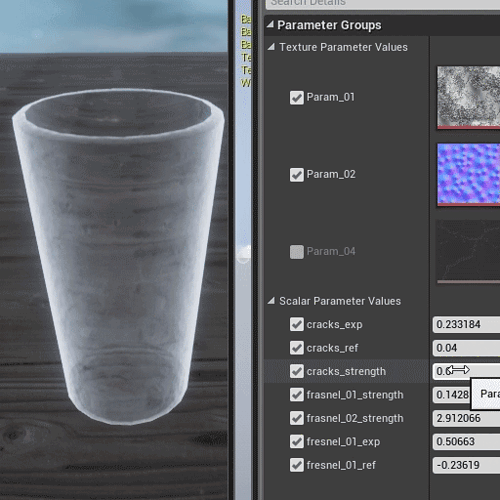
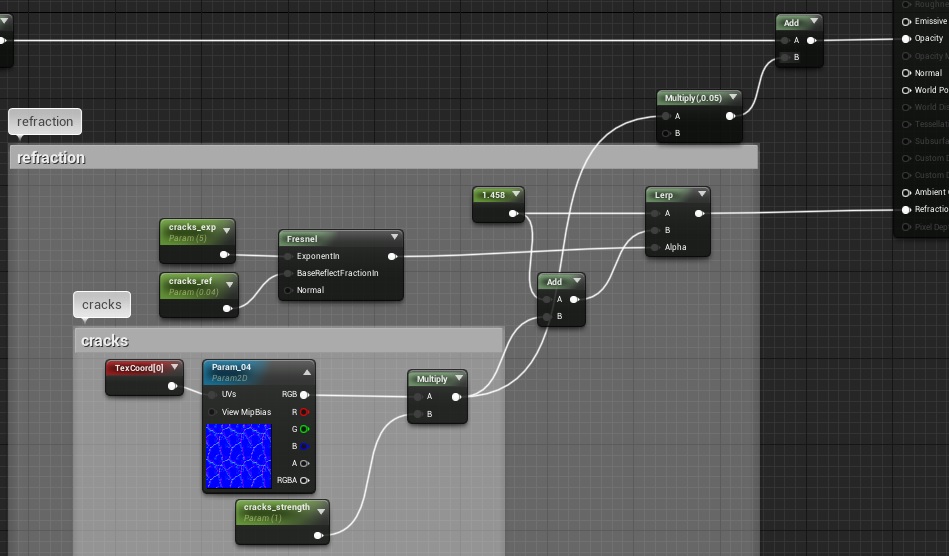
Adding ice cracks. All textures that I’m using are from a giant library that I have on my disk which has either my textures or something that I got on the internet. I’ll try my best to find sources for all the textures I end up using (if any) because most of them are place holders which I will later create in Designer.
Got most of the main elements done:
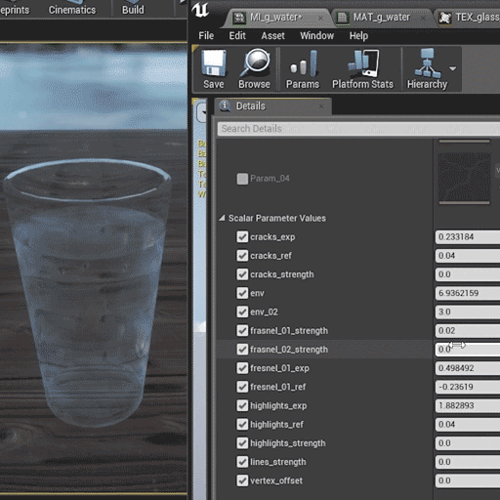
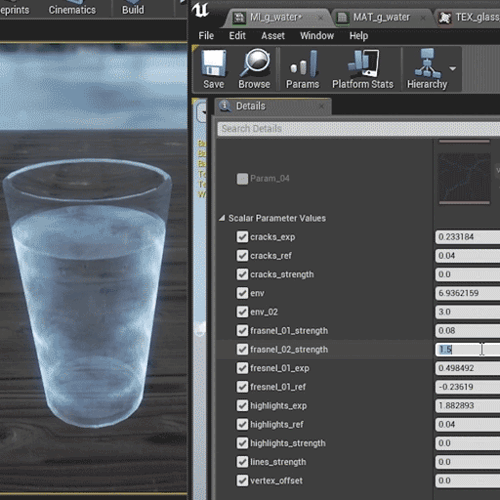
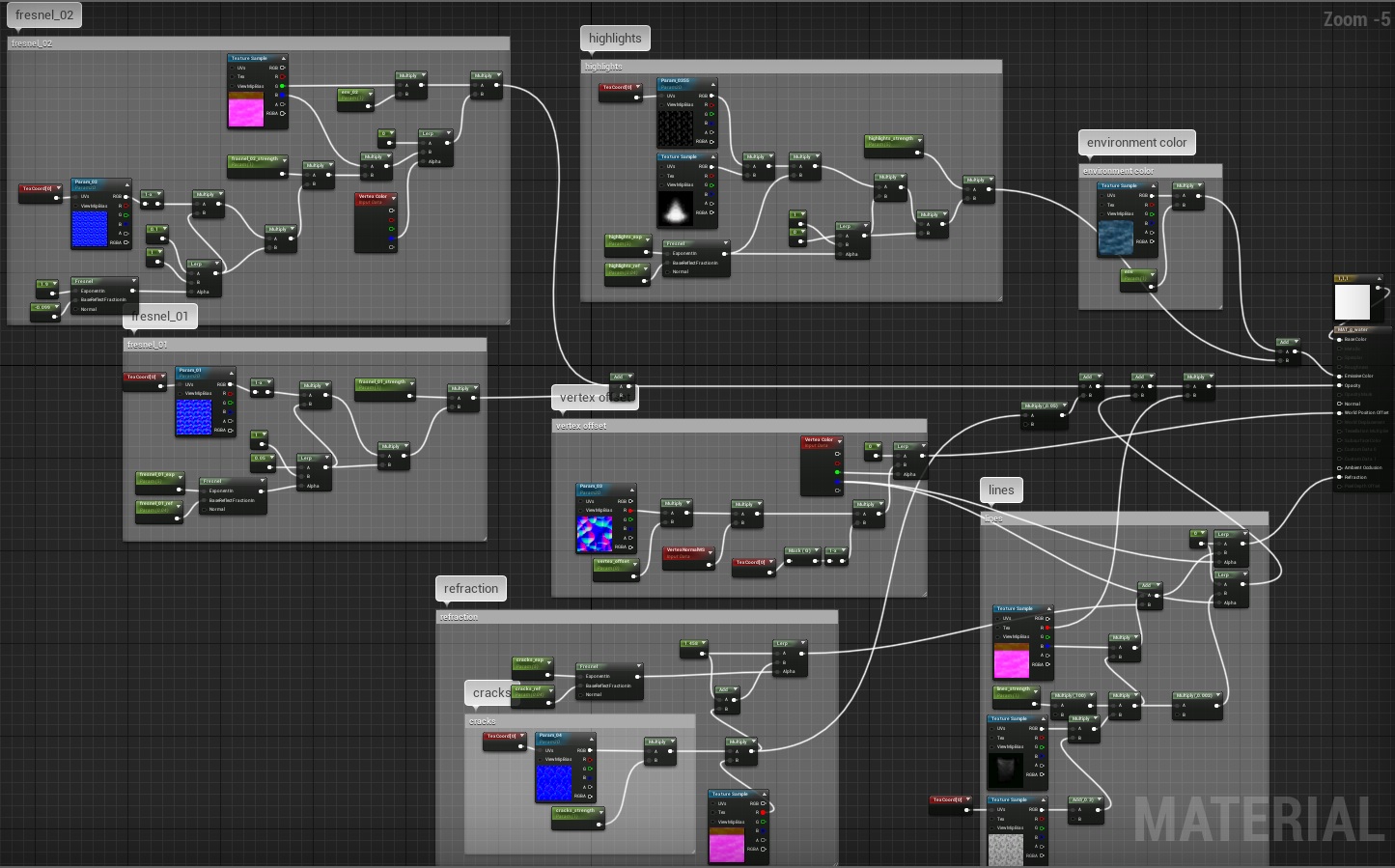
Just realized I need to calibrate my monitor at home so colors might be slightly off.
I’ve been really busy for the past couple of days but I made some progress today.
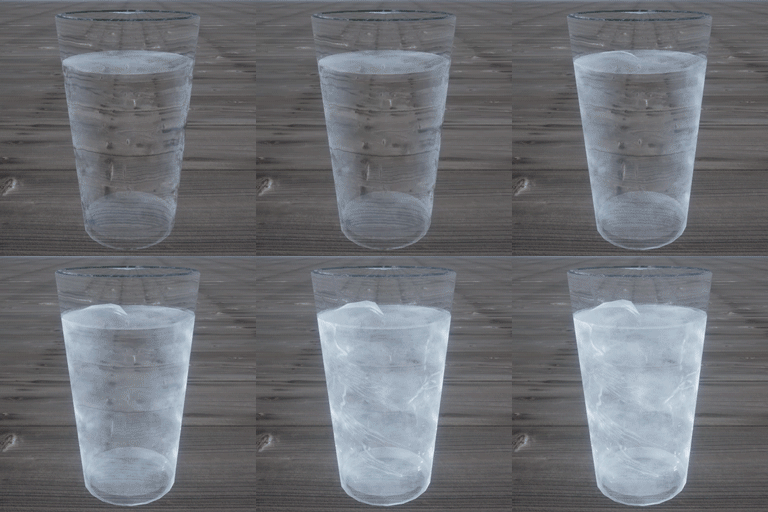
I wanted to make everything inside of the material instead of using blueprints just as a challenge.
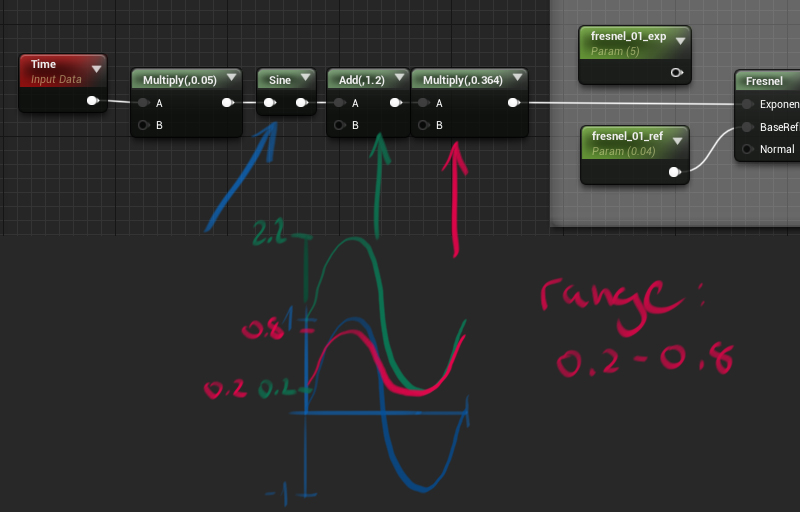
I went over every slider and wrote down the range I wanted for it. Then I used sin with some basic math to make it move in that range.
So in this example I wanted the first fresnel to go from 0.2 to 0.8. I connected this to exponent input:
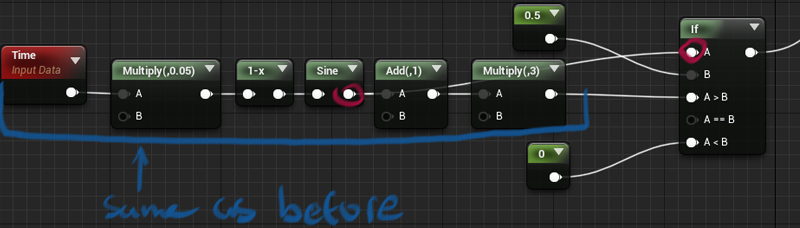
For the ice cracks I wanted them to start when the glass is half way frozen. I used the IF node to tell the strength multiplier to stay at 0 until sin > 0.5.
Comments